Bring Your Own Evidence
Upload internal reports to your Account Evidence Library or connect Google Drive, then choose where that evidence informs your analyses and forecasts.
Put your organization's research to work
Your team already holds evidence that a web search cannot find: supplier assessments, field reports, interview notes, internal strategy papers, and research you commissioned. Those documents can change how you interpret public reporting. An announced factory opening, for example, may look different alongside a supplier assessment that describes unresolved equipment shortages.
Hinsley lets you bring that material into the same workflow as external research. Upload documents to your Account Evidence Library or connect a Google Drive repository. Select the collections relevant to an analysis or standalone forecasting question, and Hinsley can retrieve their contents during research. Your team can use that evidence in briefs, forecasts, scenarios, conversations, and written outputs.
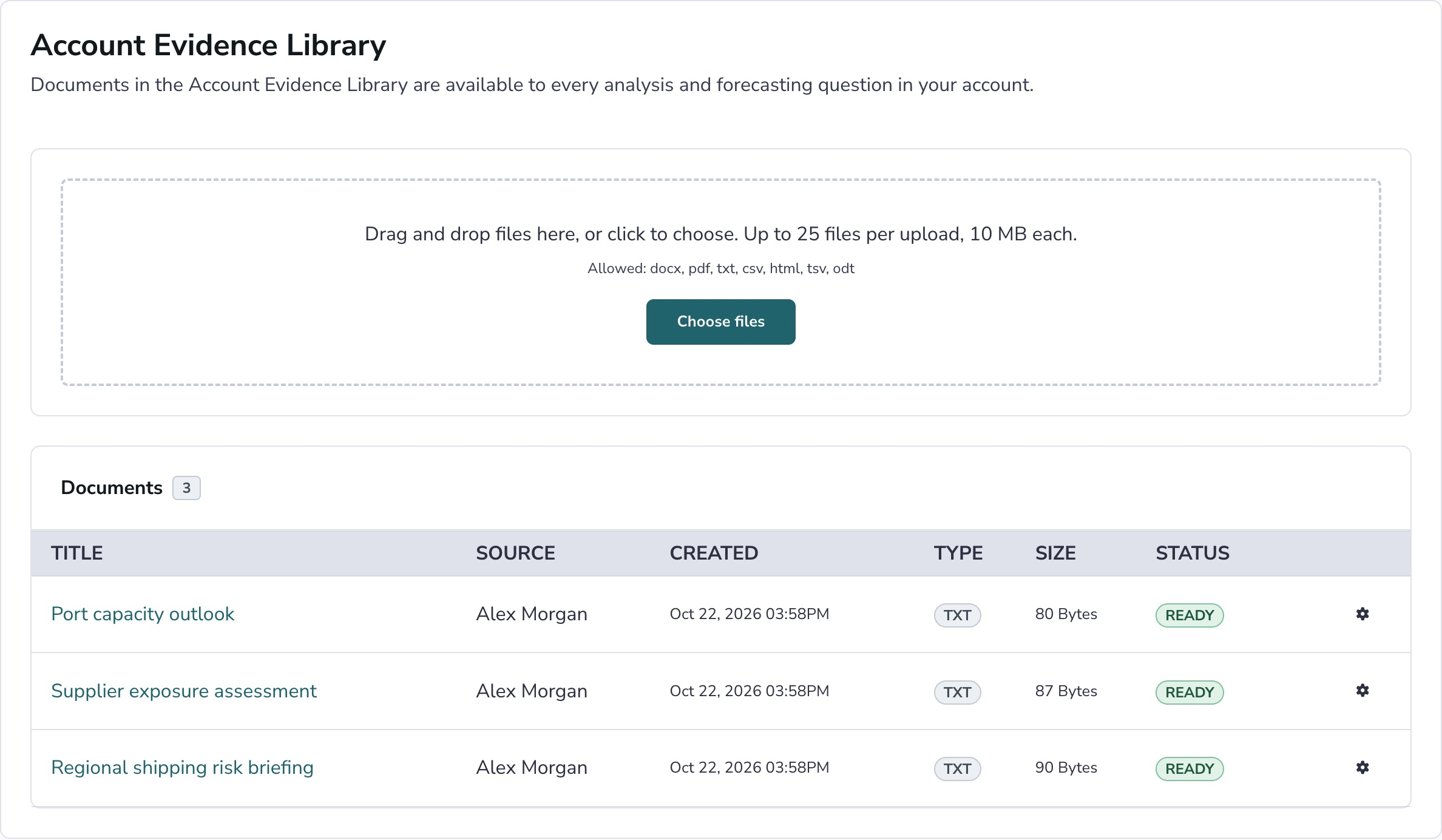
Upload once to your account library
Use the Account Evidence Library for documents your organization wants to reuse across analytical work. Upload a reference report once, then select the library as an evidence source for the analyses that need it. You can inspect each upload's processing status before relying on its contents. Documents in the library are private to your account.
A regional market assessment might support a supply-chain analysis, a market-entry question, and a scenario exercise. Each can retrieve from the selected library without requiring you to attach the same file repeatedly. For evidence intended for one analysis, you can also add documents directly to that analysis. Choose the location that matches how your team will use the material.
Connect a Google Drive folder or shared drive
If your working documents live in Google Drive, connect a folder or shared drive as a repository. An account admin shares it with the dedicated service address for your Hinsley account, with Viewer access, then adds the repository. Hinsley indexes supported documents and syncs changes. Original files stay in Google Drive; Hinsley stores extracted text and a link back.
You can see sync status, indexed documents, and skipped files in account administration. Choose a folder intended for account-wide use: supported documents under the connected folder or drive become available to members of your Hinsley account. Google Workspace must permit sharing with the dedicated address, and document repositories must be enabled for your account. Supported formats and setup details are shown when you connect.
Choose where your documents are used
Uploading or connecting a collection gives your team a source to select. Each analysis has its own evidence-source selection. You can combine an internal document collection with web and news research, or choose collections suited to a narrowly defined research task. A standalone forecasting question has its own selection; questions inside an analysis inherit the analysis's sources.
This lets you make a concrete decision about context. A question about a supplier's delivery capacity may need your internal assessments alongside current reporting. A broader regional analysis may need different collections. The Evidence Sources & Controls page explains how selections, retained documents, and manually supplied evidence interact, so you can review what remains available when your research boundaries change.
Carry evidence into the work you produce
Once relevant documents are collected into an analysis, your team can review them alongside search results and save evidence worth keeping. Research briefs, forecasting rationales, and analytical conversations can draw on the permitted documents. When generating a decomposition, scenario set, or written output, you can choose the available context that should inform that particular task.
Collection access and source selection do not establish that a document is accurate or current. An internal report may contain outdated assumptions, incomplete coverage, or an author's preferred interpretation. Review the material you provide and the reasoning that cites it. Supplying your own evidence gives your analysis organizational context; its quality still depends on the documents and judgments your team brings.